
TL;DR
- In 2026 AI code review is standard practice instead of a tentative experiment. GitHub alone has handled over 60 million Copilot reviews representing one fifth of all code reviews across the entire platform.
- The technology runs as an automated layer that scans pull requests using large language models. It drops inline comments about bugs, security flaws, and logic gaps before a human engineer even opens the pull request. While it catches errors that linters miss, it cannot judge software architecture.
- Market leaders include CodeRabbit for a quick start with a free tier and GitHub Copilot code review for teams already invested in the ecosystem. Enterprise operations pick SonarQube for strict compliance while custom pipelines offer absolute control.
- Excessive noise is the main reason teams abandon automated reviews. To avoid this you should roll out the tool on a single repository in shadow mode. Suppress alerts about style or formatting and focus purely on logic and security before deploying the system to your main branch.
- Treat this process as a fast first pass rather than a full replacement for humans. Keep senior engineers focused on architecture and strategic design decisions that algorithms simply cannot see.
A pull request sits open for three days. The one senior engineer who understands that service is on vacation, so it waits. When it finally merges, nobody notices the junior dev logged a JWT token in plain text — a vulnerability that will live in production for months before a pen test finds it. Every engineering team has some version of this story.
As of 2026, AI code review has moved from experiment to standard practice, at startups and large engineering organizations alike. GitHub reported that Copilot code review passed 60 million reviews and now accounts for more than one in five code reviews on its platform. The shift tracks a simpler reality: AI now writes a large share of merged code, and human review cannot keep pace on its own.
This guide covers what AI code review actually is, which tools lead in 2026, the real benefits and limits, and how to roll one out without drowning your team in noise.
What Is AI Code Review and How Does It Work?
AI code review is an automated layer that analyzes pull requests with large language models and posts inline comments on bugs, security issues, and logic errors before a human reviewer opens the PR. It reads the actual code change, reasons about what it does, and leaves comments in the same place a human reviewer would.
The difference from a linter is worth stating plainly. A linter checks syntax and style against fixed rules. An AI code review tool understands context, intent, and cross-file patterns across the whole diff, so it can flag a race condition or a mishandled error path, not just a missing semicolon. This context awareness is what LLM code review adds over the older rule-based generation of tools.
How AI code review compares to linters and human review
Read left to right, the table shows understanding increasing across the row. A linter is instant but shallow, a human is deep but slow, and AI review sits in between — fast enough to run on every PR, sharp enough to catch logic and security issues, but blind to whether the design itself makes sense.
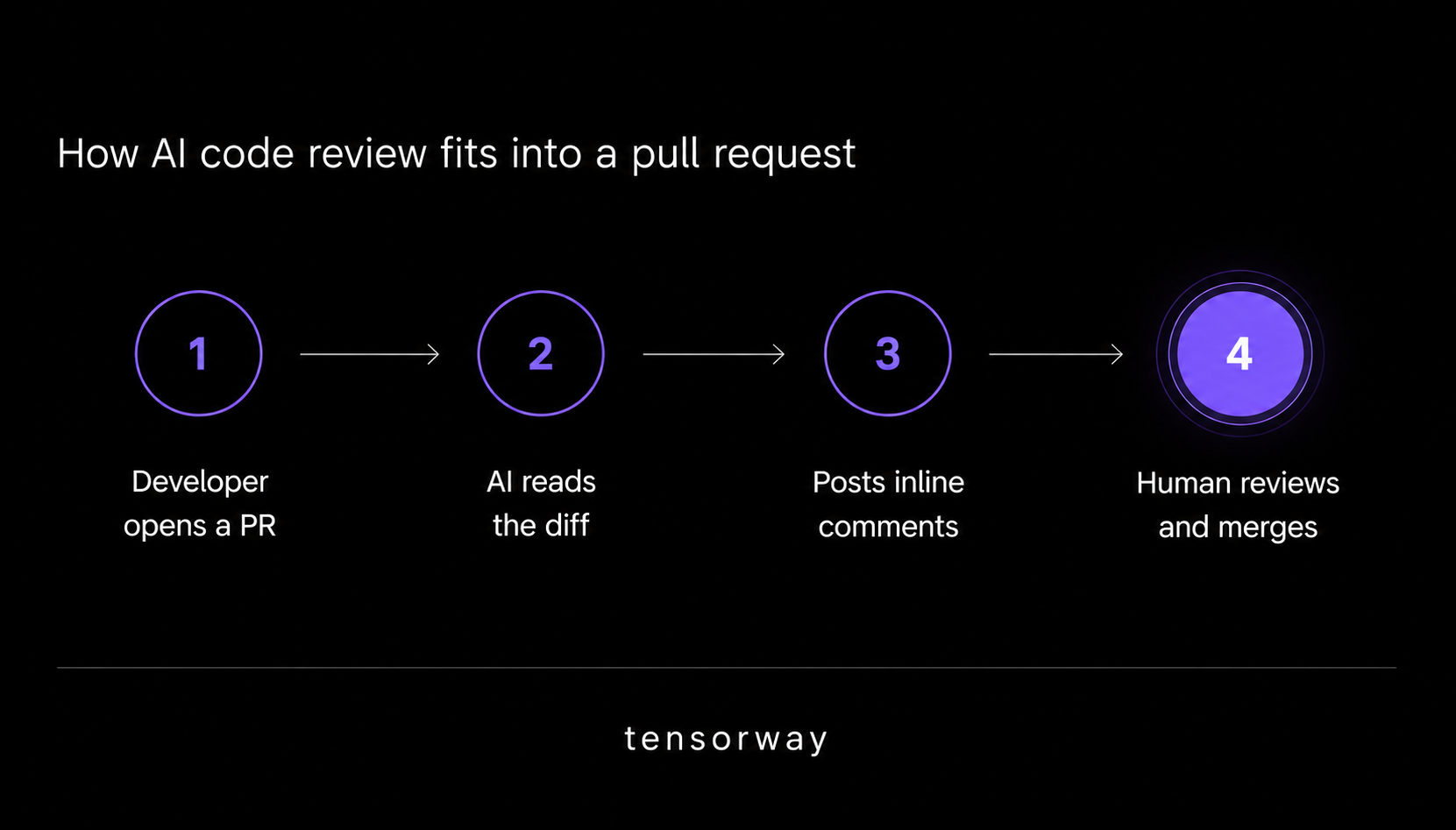
Integration is straightforward. The tool connects to GitHub or GitLab through a webhook or your CI pipeline. When a PR opens, the diff is sent to an LLM — GPT, Claude, or a fine-tuned model — which returns structured feedback that gets posted inline on the code. Modern tools have gone further: GitHub now runs Copilot code review on an agentic architecture that retrieves repository context and keeps memory across reviews, rather than reading each diff in isolation.
What Are the Best AI Code Review Tools in 2026?
The best AI code review tools in 2026 are CodeRabbit, GitHub Copilot code review, SonarQube, and custom LLM pipelines, and the right one depends on your stack and how much control you need.
- CodeRabbit is the most widely adopted standalone tool, with drop-in integration for GitHub, GitLab, and Bitbucket, and a free tier that makes it the easiest first step for most teams. It posts line-by-line suggestions, severity ratings, and PR summaries, and it ranked first for F1 score in an independent benchmark of ten tools measured on comments developers actually acted on. Its known weakness is breadth over depth — it surfaces issues fast but does not reason across repositories or system architecture.
- GitHub Copilot code review became the default choice for teams already on Copilot when it landed natively in VS Code and GitHub pull requests. There is zero extra setup if you have a subscription, and GitHub reports it now runs automatically on every pull request at more than 12,000 organizations. For teams on the Microsoft and GitHub stack, it is the path of least resistance. This is the tool behind most searches for github copilot code review.
- SonarQube suit enterprise and regulated teams. The platform pairs long-established static analysis with AI review features added in recent versions, and its deterministic findings are auditable for SOC 2 and ISO 27001, with a measured false positive rate around 3% on its rule engine. It is the strongest option when compliance and an audit trail matter as much as catching bugs.
- Custom LLM pipelines fit teams that want full control. Diffs go straight to the Anthropic or OpenAI API with a structured review prompt, which lets you encode domain-specific rules and feed proprietary codebase context that an off-the-shelf tool never sees. It takes engineering effort, and it is the same skill set behind building any production AI agent. The table below compares the three ready-made options.
AI code review tools compared (as of 2026)
How Do You Get Started with AI Code Review?
Start with one tool on one repository, not a five-tool bake-off. A useful proof point: a six-engineer fintech team that adds CodeRabbit to a single service and, in the first week, has it flag a JWT token logged in plain text that had gone unnoticed for months. That is the kind of early win that gets a team to trust the tool. From there, a few steps keep the rollout from backfiring.
- Pick one tool that fits your stack. Most teams begin with CodeRabbit for its zero-config setup, or Copilot if they already pay for it. Evaluating five tools at once mostly generates confusion and overlapping comments, which is its own kind of noise.
- Run it in shadow mode first. Connect it to a non-critical repo, let it review 20 to 30 PRs, and measure the false positive rate before you enable it on main.
- Configure scope aggressively. Suppress whole categories like style and formatting, and point the tool at logic and security instead. Suppressing noise is as important as enabling signals, because noise is the single most common reason teams abandon AI review.
- Set team norms before rollout. Decide the questions that cause friction later: are AI comments advisory or blocking, and who is responsible for resolving them? These debates are live among engineers — one team published a three-week test running four reviewers across 146 pull requests to settle it with data, and threads on Hacker News and Reddit are full of practitioners reporting PRs that became unreadable with noise before they tuned the tool.
Know the limits. AI reliably catches bugs and security issues, but it cannot judge architecture. It will flag an off-by-one error and miss that the entire module should not exist. Keep senior engineers in the loop for structural and design decisions, the same way you would when choosing between LLM frameworks for a larger build.
What Are the Benefits and Limits of Automated Code Review?
The main benefit of automated code review is speed without a drop in scrutiny: the AI runs a first pass seconds after a PR opens, so human reviewers spend their time on judgment instead of mechanical checks. GitHub found that Copilot code review stays silent on 29% of reviews and comments on 71%, averaging about 5.1 comments per review — a signal-first design meant to avoid the noise problem.
The benefits are real but bounded. AI assisted code review shortens PR cycle time, catches security slips and edge cases humans skim past, and enforces a consistent baseline regardless of who reviews. It does not replace human judgment on architecture, and it introduces its own failure mode in false positives that erode trust when left unconfigured.
That trade-off is why AI review works best as a layer, not a replacement, and why the strongest engineering cultures still treat it as one of several AI software development tools rather than a substitute for reviewers. Used with clear scope and norms, following the same code review best practices teams already know, it gives back hours a week. Used carelessly, it becomes a bot everyone learns to ignore.
Conclusion
AI code review earns its place when you treat it as a fast, tireless first pass and keep humans on the decisions that need judgment. Start with one tool on one repo, run it in shadow mode, cut the noise categories hard, and agree on whether comments block a merge before you scale it across the team. The teams that get value from it are not the ones with the most comments — they are the ones that tuned for signal and kept their senior engineers focused on the problems AI cannot see.